Airbnb Photo Pricing Proof
Airbnb photos vs nightly rate: how better first photos can help your price feel fair.

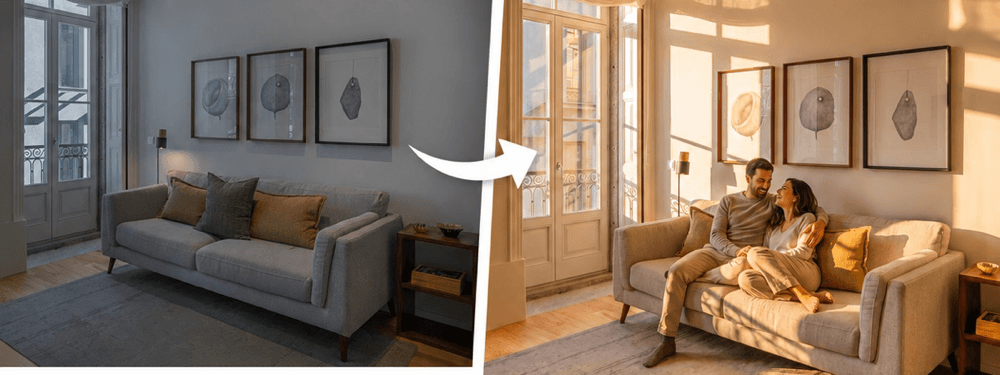
Revenue proof cards

Success is not an accident. Strong vacation rental hosts do not only change price and hope. They make the listing easier to choose. The screenshot that inspired this post showed a Vrbo host using smart promotions to lift booking value. The BNBBoost lesson is similar, but the first lever is different: before you run a deal or cut your nightly rate, make sure your photos make the stay feel worth the price.
Airbnb photos vs nightly rate is not a design debate. It is a money question. Guests see your cover photo, title, rating, and price in one fast glance. If the photo feels dim, cold, cramped, or unclear, the same nightly rate can feel too high. If the photo feels bright, clean, and easy to understand, the same rate can feel safer.
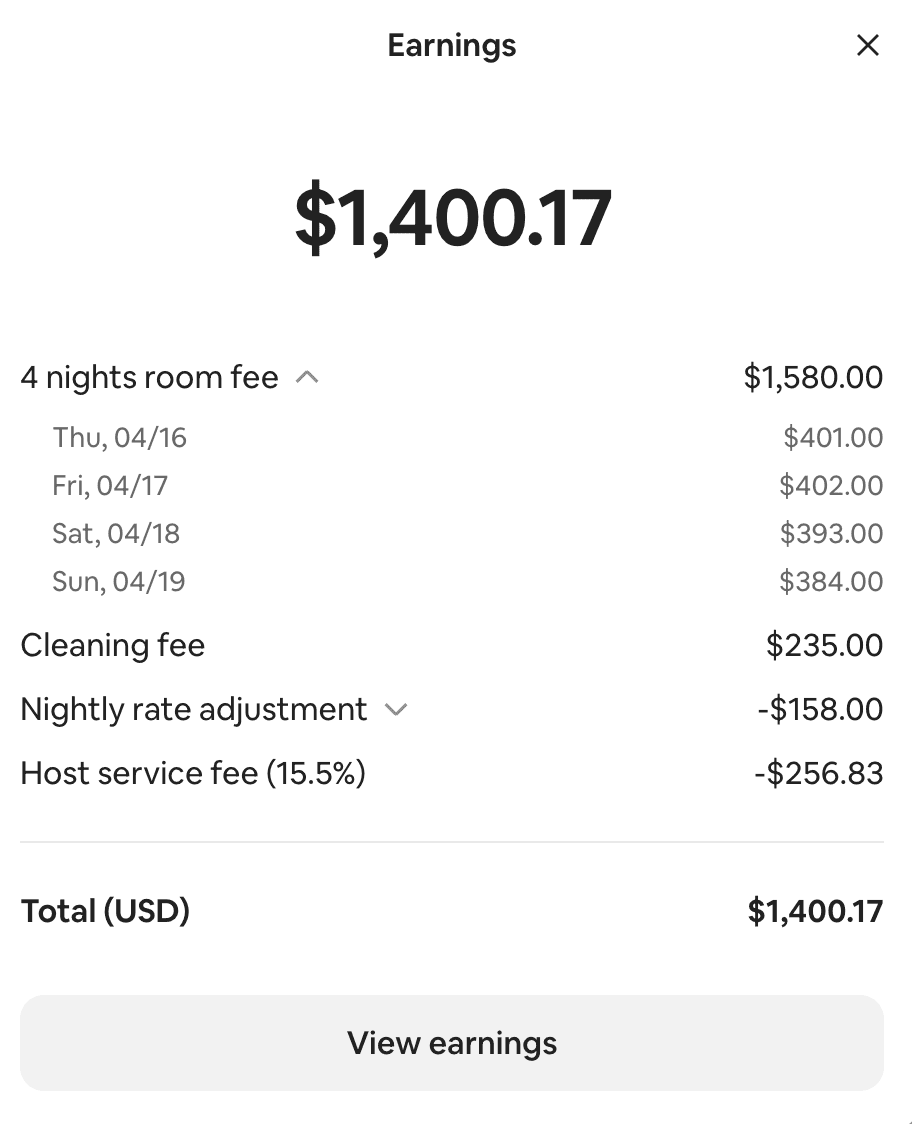
BNBBoost used to show a simple proof block on the homepage with two host payout screenshots. That block is no longer on the live homepage, but the lesson is still useful. One earlier payout screenshot showed $1,400.17 total for a 4-night stay. A later screenshot after the photo and listing refresh showed $3,012.00 total for a 5-night stay. The dates and stay length are not the same, so this is not a controlled promise. It is a real proof point that shows what can happen when a listing earns more trust before the guest reaches the price decision.
What the screenshots actually show
The earlier screenshot shows 4 nights with room fees around $384 to $402 per night and a $1,400.17 payout after fees and adjustments. The later screenshot shows 5 nights with a $741 room fee per night and a $3,012.00 payout after fees and adjustments. The jump is not just about the final total. The important part is that the listing had to make a much higher nightly room fee feel believable to the guest.
That is why screenshots like this should be used carefully. They do not mean every host can double their payout by changing photos. They do show something practical: when the first impression is stronger, the host has more room to hold price, test a higher rate, or stop discounting too early. Better photos do not create demand by themselves. They help guests trust the demand you are already trying to win.
Why photos change how a rate feels
A guest does not open Airbnb with a spreadsheet. A guest opens a phone and scrolls. They compare tiny images and prices. The photo does the emotional work first. It tells the guest whether the room feels clean, calm, bright, and cared for. Only after that does the guest decide whether the price feels fair.
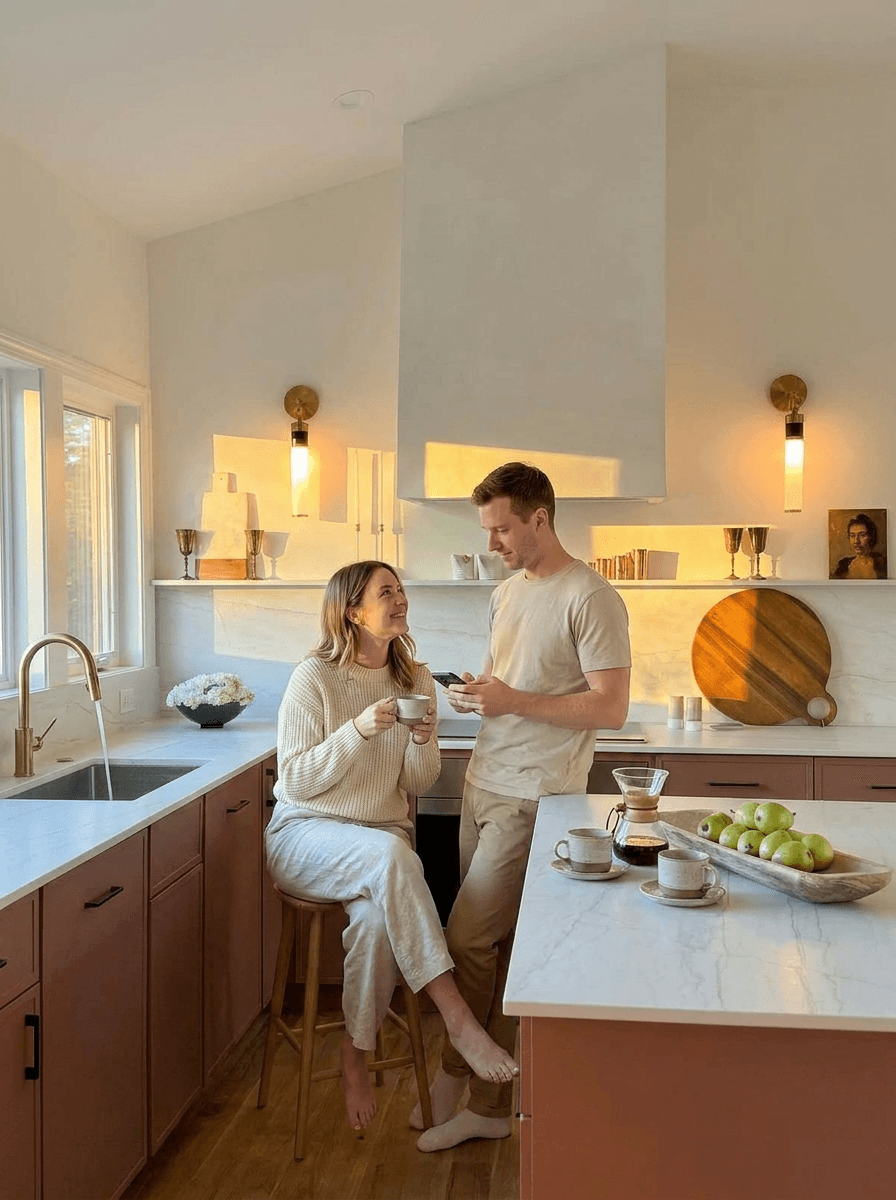
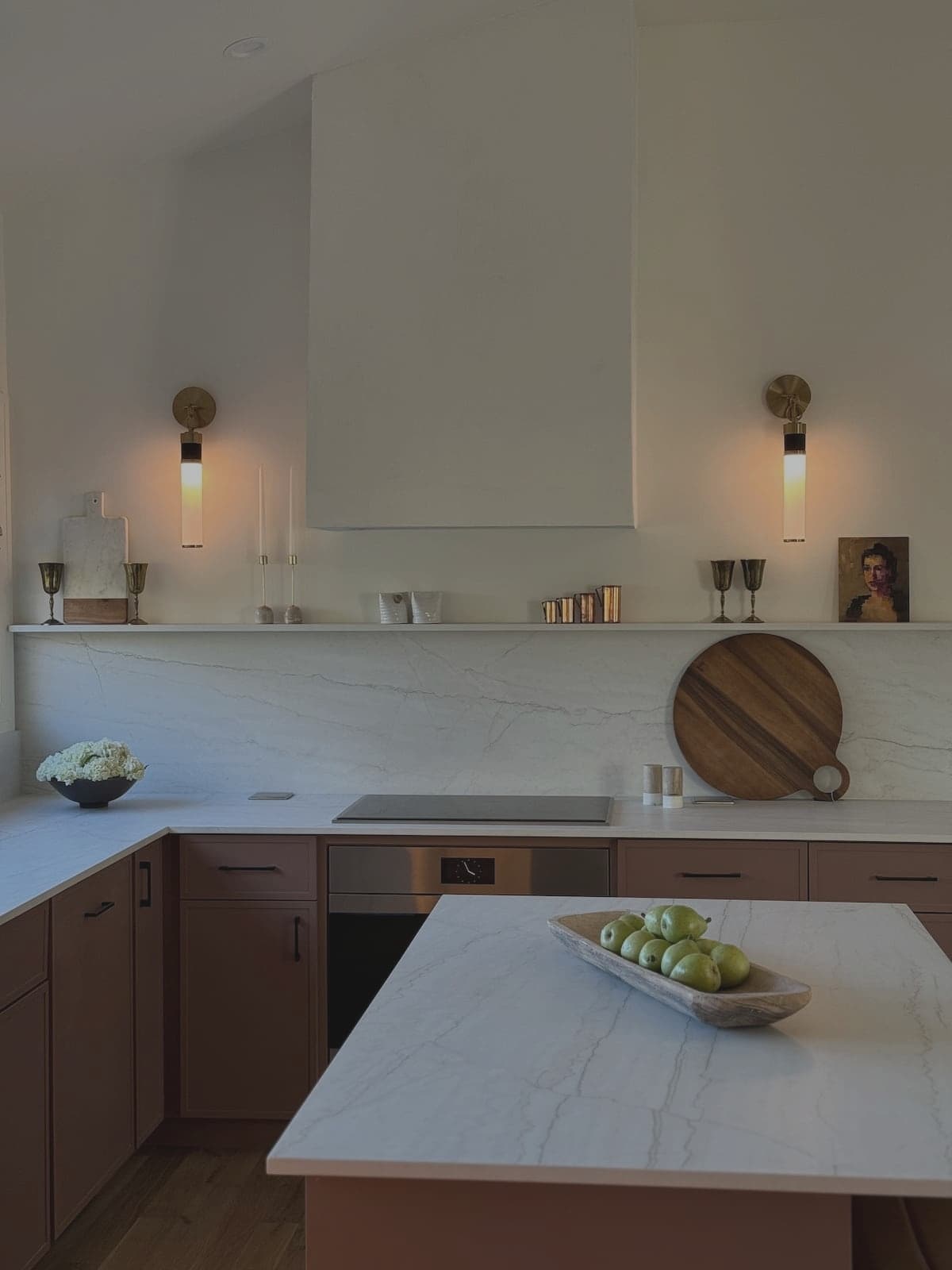
Before: Kat Lee’s kitchen photo before the refresh. The stay was strong, but the image made the space work harder to justify the price.
After: the same kitchen with brighter light and cleaner color, making the stay feel easier to trust before guests compare price.
This is why a weak cover photo can make a fair rate look expensive. It is also why a strong cover photo can make a higher rate feel normal. The room did not get bigger. The guest simply understands it faster. That speed matters because guests do not study every listing. They remove the ones that feel risky and save the ones that feel easy.
Your first 5 photos are your price proof
The cover photo earns the click. The next 4 photos defend the price. If photo 2 is a dark hallway, photo 3 is a tight bathroom angle, and photo 4 is a close-up of a lamp, the guest starts to doubt the stay. Doubt makes the price feel higher. Strong photo order does the opposite. It answers the basic trip questions fast: where do I sleep, where do I relax, where do I eat, is the bathroom clean, and what makes this place better than the next one?
This is the part many hosts skip. They think every uploaded photo has equal value. Guests do not treat them equally. The first 5 photos carry most of the trust work. If those photos do not prove the stay, a lower nightly rate may not fix the problem. The guest may still skip because the listing feels unclear.
A 20-minute photo check before you change price
Open your listing on your phone. Do not edit yet. Search your area like a guest and scroll until you see your own listing. Ask one question: does the cover photo make the nightly rate feel fair? If you hesitate, write down why. Is the image too dark? Is the best room missing? Is the angle confusing? Does the photo show a feature guests care about, or just a corner of the space?
Next, tap into the listing and look only at photos 1 through 5. Do they explain the stay in order? A strong order for many homes is bedroom, main gathering space, kitchen or dining, clean bathroom, and the best extra feature. For a beach place, the outdoor space or view may need to show earlier. For a work trip stay, the desk and parking may matter more. The right order depends on the guest you want, but the first 5 photos should never feel random.
What to fix first
Fix the cover photo first. Pick the brightest true image that best explains why someone would book. Then reorder the next 4 photos so the guest sees the trip, not just the room. If the photos are flat but the space is good, run the weakest first photos through the photo enhancer. The goal is not to fake a luxury home. The goal is to show the real space with better light, cleaner color, and less visual drag.
After that, update the title so it matches the photo promise. If the photo shows a calm bedroom, the title should name the guest benefit: king bed, walkable area, free parking, pool, workspace, or family setup. A better image with a vague title still leaves money on the table. A clear title and a clear photo work together.
When the photo enhancer is the right move
Use the photo enhancer when the room is already good but the image is not doing it justice. Common signs are blue or yellow color, dark corners, flat lighting, clutter that pulls the eye, or a photo that looks cheaper than the room feels in person. This is different from hiding a real problem. If the bed is messy, clean it. If the room is crowded, simplify it. If the photo is the weak part, enhance it.
The best use case is the first photo row. You do not need to refresh every image before you learn something. Start with the cover photo and the next few photos guests judge first. If clicks, saves, or bookings improve, then refresh the rest of the gallery. This keeps the test small and helps you avoid spending time on photos that guests barely reach.
Do not hide behind discounts
A discount is easy, but it can become expensive fast. If a host drops the rate by $25 per night for 30 booked nights, that is $750 in lost income. If the real issue was a weak cover photo, the host paid $750 to avoid fixing the first impression. Sometimes price is the issue. But it should not be the first guess.
The better order is simple: prove the stay, then test the price. Make the first photos bright and clear. Make the title useful. Make the first screen answer the guest question. Then, if the listing still gets views and clicks but not bookings, run a small price test on a slow window. A careful test teaches you more than a panic cut.
Use the screenshots as a lesson, not a guarantee
The payout screenshots in this post are useful because they show the kind of outcome hosts are trying to protect: higher room fees, stronger booking value, and less pressure to discount. But no screenshot can promise your result. Your market, reviews, location, calendar, season, and guest type all matter. The repeatable lesson is not the exact dollar amount. The repeatable lesson is the order of operations.
First, make the listing look worth choosing. Second, make the first 5 photos explain the stay. Third, make the title and copy support the same promise. Fourth, test price with care. That is the strategy behind stronger booking value. It is not a trick. It is a better first impression matched to a fair rate.
A simple checklist for your next open night
Before your next rate change, answer these questions: does the cover photo stop the scroll, do photos 2 through 5 prove the stay, does the title name one real benefit, does the first screen answer the guest worry, and does the all-in price feel fair next to similar listings? If any answer is no, fix that first. The rate is not ready for a fair test until the listing has made its best case.
Run the Listing Score before you touch the rate
It is hard to judge your own listing because you already know why it is good. Guests do not. The free BNBBoost Listing Score gives you a colder read before you touch the nightly rate. Paste your Airbnb URL and it checks the parts that shape the choice: first impression, photos, title, copy, amenities, reviews, and booking friction. Use it to find the first weak spot, then decide whether the photo enhancer or a small price test should come next.
Frequently asked questions
Can better Airbnb photos help me charge more per night?
They can help a higher rate feel safer when the space is already worth it. Better photos do not guarantee a higher rate, but they can make the same room look clearer, cleaner, and easier to trust.
What should I check before lowering my Airbnb nightly rate?
Check views, cover photo, first 5 photos, title, trust details, and calendar rules. If the first impression is weak, fix that before running a price cut.
Which Airbnb photos matter most for price?
The cover photo matters first because it earns the click. Photos 2 through 5 matter next because they prove whether the stay feels worth the price.
Should I enhance every Airbnb photo at once?
Start with the cover photo and the next few photos guests judge first. If those photos perform better, then refresh the rest of the gallery.
Are payout screenshots proof that every host will make more?
No. A payout screenshot is one proof point, not a guarantee. Market, season, reviews, location, and calendar all matter. Use screenshots as a lesson about first impression and price trust.
What is the fastest way to know if my photos are hurting my price?
Run the free BNBBoost Listing Score. It checks your first impression, photos, title, copy, reviews, and booking friction so you know what to fix first.